
No documentation can be complete with just text.
To add more than text to your documentation, just hit
The blocks menu will show, just like this one:
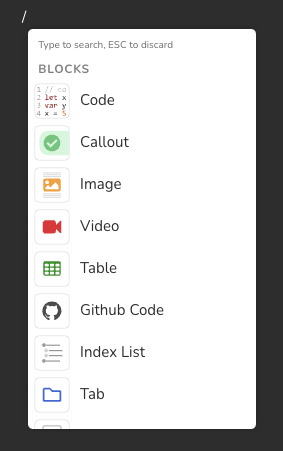
%product% supports the following blocks:
- Code blocks
- Callouts
- Images
- Videos
- Tables
- Synced Blocks
- Custom HTML
- Tabs
- GitHub Code
- Index List
- Separators
Then you probably have text formatting on the empty line. Formatting does carry from the previous line. To resolve this, you probably just need to hit Backspace then ↵ again.
Inline Blocks
Also, you can add inline blocks to your documentation. Inline blocks go on the same line as text. %product% supports the following inline blocks:
Inline blocks can be added by typing "/" anywhere in the documentation as well.
Emojis
We have support for emojis everywhere, so if you felt the need to express using emojis then don't be shy 😄
Adding Empty Line around Blocks
To add an empty line above or below a block:
- Hover over or under the centre of the block. An arrow
would show. - Click on the arrow to add an empty line.